
Productivity Software: Key Features And Common Use Cases For Work And Study

Productivity software refers to digital tools and platforms designed to help individuals and teams organize tasks, manage time, create and edit documents, and coordinate work or study activities. These applications typically provide structured interfaces for lists, calendars, notes, and files, and they often integrate communication or collaboration elements so that multiple users can contribute or share progress. The concept centers on reducing friction in routine activities, improving visibility of responsibilities, and supporting workflows across devices.
Common components within productivity software include task management modules, calendar and scheduling features, document editors, shared storage, and basic automation or templates. Such systems can be deployed as single-user apps for personal organization or as collaborative platforms for groups. They may run locally, in web browsers, or in cloud-hosted environments that synchronize data across devices. Security, access controls, and offline capability are often part of product considerations.
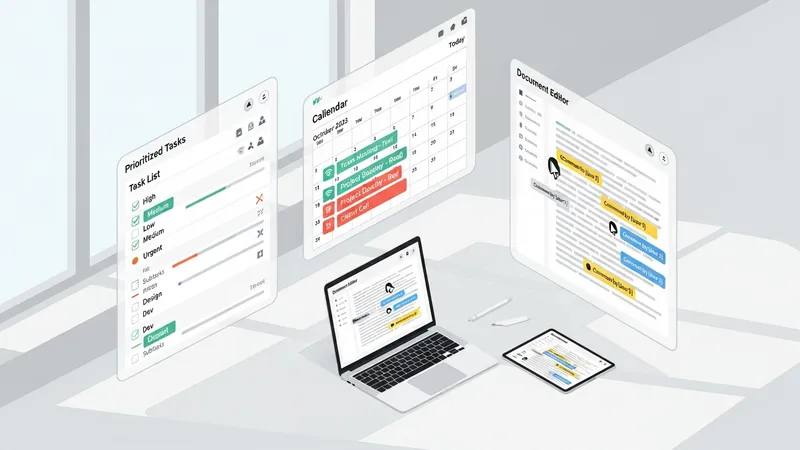
- Task and project management tools — examples include Kanban-style boards and checklist apps used to track tasks and milestones.
- Note-taking and document creation tools — examples include structured note apps and online document editors for drafting, annotating, and versioning content.
- Calendars and scheduling tools — examples include shared calendars and booking systems for coordinating meetings and deadlines.
Task and project management tools may support lists, boards, timelines, and simple reporting. They can be used for personal to-do lists, team sprint planning, or academic assignment tracking. These tools often include assignment, due-date, and status fields so that responsibilities and progress are visible. Integration with calendars and file storage typically improves context for tasks. Users may choose lightweight, single-purpose apps for personal use or more feature-rich platforms for multi-member collaboration depending on scope and required controls.
Note-taking and document tools can range from minimal text editors to structured systems that support tagging, linking, and multimedia embedding. For study contexts, note tools may help capture research references, annotate readings, and organize revision. For work, they may store meeting notes, policies, or knowledge-base articles. Many solutions offer real-time collaborative editing, commenting, and simple version history so contributors can track changes. Synchronization across devices often enables continuous access, which may be important for hybrid work or study patterns.
Calendar and scheduling features are commonly integrated with email and task modules to reduce double entry and to provide contextual reminders. Shared calendars may allow teams to view availability and plan meetings, while personal calendars help manage deadlines and study sessions. Scheduling integrations with video conferencing or room bookings may be present in larger platforms. Users typically assess whether recurring event rules, time-zone handling, and notification options meet their coordination needs.
File sharing and basic automation help tie the components together by enabling centralized document storage, controlled access, and repeated task automation. File sharing commonly includes folder structures, permission levels, and previewers, which can streamline collaboration. Automation features may include simple rules to move tasks between states, notify team members, or populate templates. These functions often reduce repetitive administrative work and may improve consistency when used alongside clear process definitions.
In summary, productivity software combines task management, document handling, scheduling, collaboration, and synchronization to support both work and study activities. Different tools place emphasis on specific functions and typical choices depend on whether the priority is personal organization, team coordination, or institutional scale. The next sections examine practical components and considerations in more detail.